Slow incident triage
Start from grouped health signals instead of jumping between raw object tables, terminals, and ad hoc commands.
BeaverDeck is a self-hosted workspace for Cluster Insights, resource inspection, logs, exec sessions, and controlled day-2 actions, with GPU capacity visibility for AI-oriented clusters.
helm upgrade --install beaverdeck oci://ghcr.io/arequs/charts/beaverdeck
Built for platform, DevOps, and SRE teams who need answers during an incident, not another dashboard to stare at.
Start from grouped health signals instead of jumping between raw object tables, terminals, and ad hoc commands.
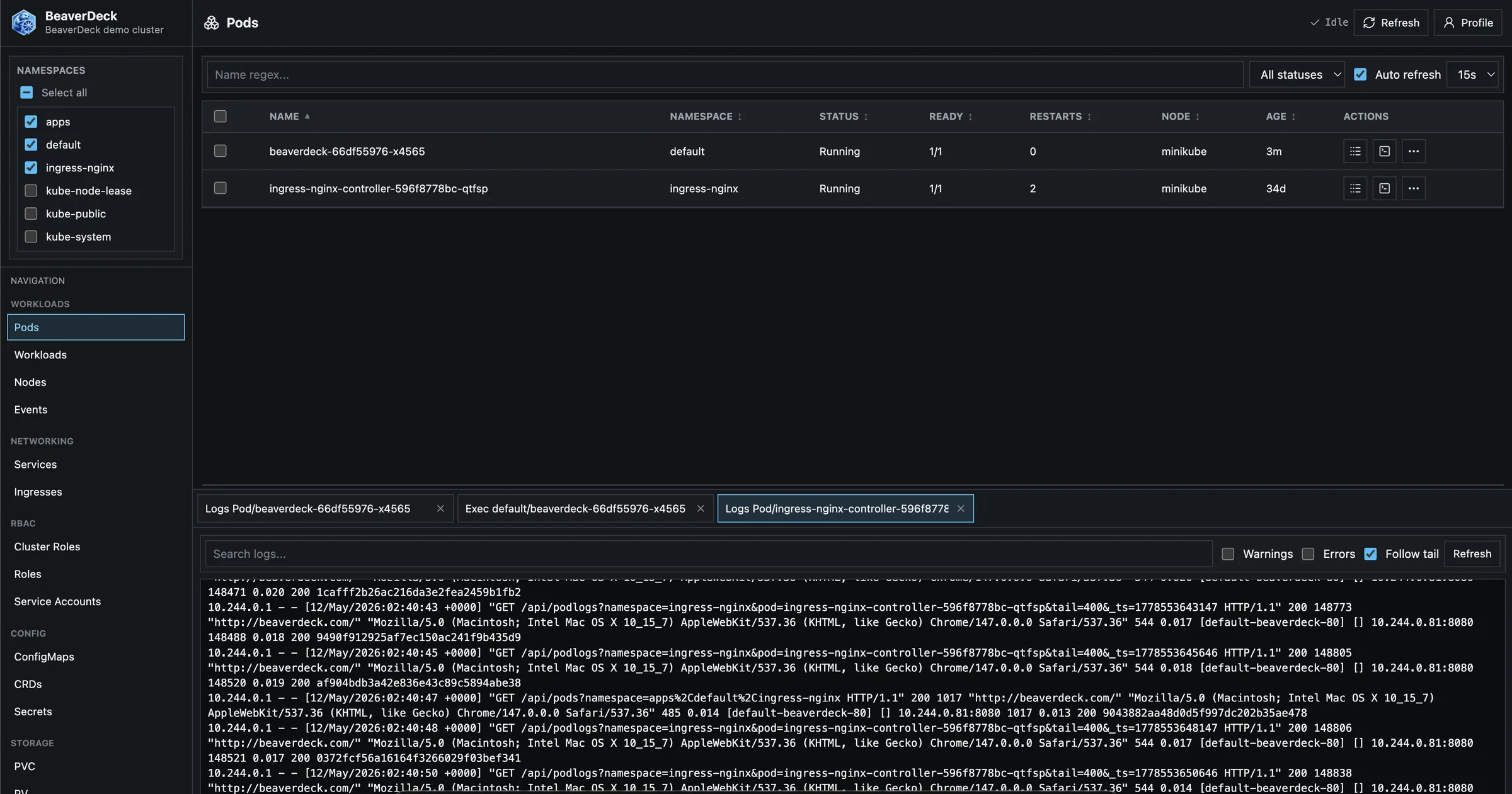
Logs, manifests, exec sessions, YAML apply, scaling, restarts, drains, and deletes live in one permission-aware workspace.
GPU visibility and capacity signals help teams understand AI workload placement and reduce waste on costly infrastructure.
Inspect Kubernetes state, triage findings, and carry out common day-2 operations from one self-hosted workspace.
Grouped findings for nodes, workloads, GPU capacity, networking, storage, security, and configuration.
Search workloads and Events, spot Warning and Error severity, and inspect manifests and relationships without switching tools.
Stream regular and init-container logs, then open terminal sessions with explicit container selection for multi-container pods.
Apply YAML, edit manifests, scale or restart workloads, and run node actions under BeaverDeck permissions.
Allocation pressure, scheduling constraints, idle allocations, fragmentation, quotas, and placement signals.
Run in your cluster with local users or Google, OIDC, and Microsoft Entra ID sign-in, plus namespace-scoped roles.
Every finding links to the resource, log, manifest, or action behind it. Each check is documented with its trigger, risk, remediation, and limits.
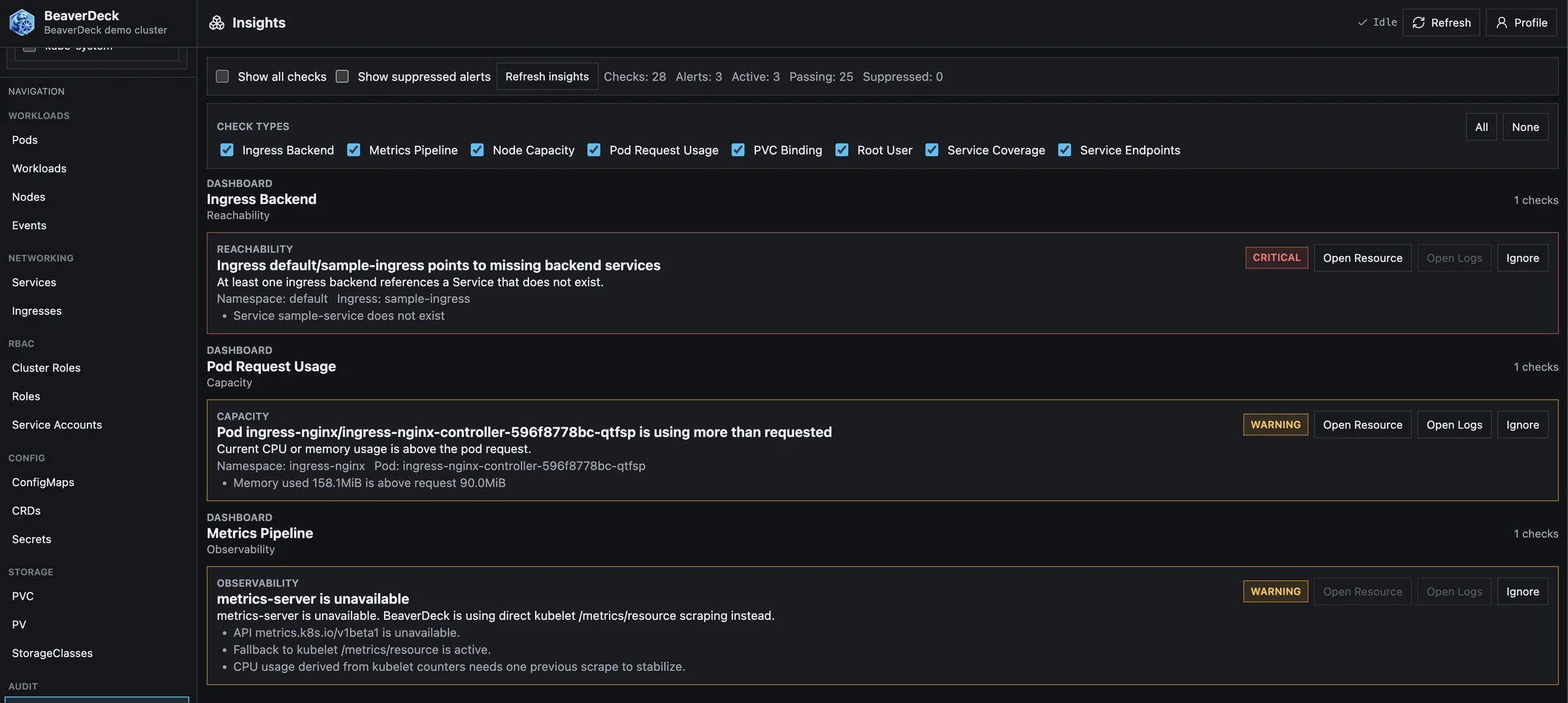
Start from useful signals, then get to the resource, log, manifest, or action behind them.
Understand costly infrastructure better, including GPU capacity used by AI workloads.
Deployment, access control, and operational configuration stay inside infrastructure you operate.
Install with the official Helm chart. No external database and no agent outside your cluster.
One Helm command creates the namespace and deploys BeaverDeck with its service account and RBAC.
Expose it through your ingress, or port-forward the service for a quick local look.
On first start, set the initial administrator. Auth configuration is stored in a Kubernetes Secret; DATA_DIR holds only non-auth runtime metadata.
# 1. Install BeaverDeck
$ helm upgrade --install beaverdeck \
    oci://ghcr.io/arequs/charts/beaverdeck \
    --namespace beaverdeck \
    --create-namespace \
    --set clusterName=your-cluster-name

# 2. Wait for the rollout
$ kubectl -n beaverdeck rollout status deployment/beaverdeck

# 3. Open http://localhost:8080
$ kubectl -n beaverdeck port-forward svc/beaverdeck 8080:80Install BeaverDeck in your own infrastructure and keep cluster access under your control.